Press release · October 12, 2026
How to run a meeting on time: BriefMe turns any meeting agenda into a shared timer
Free web tool needs no account or download; every attendee follows the same live countdown
For immediate release
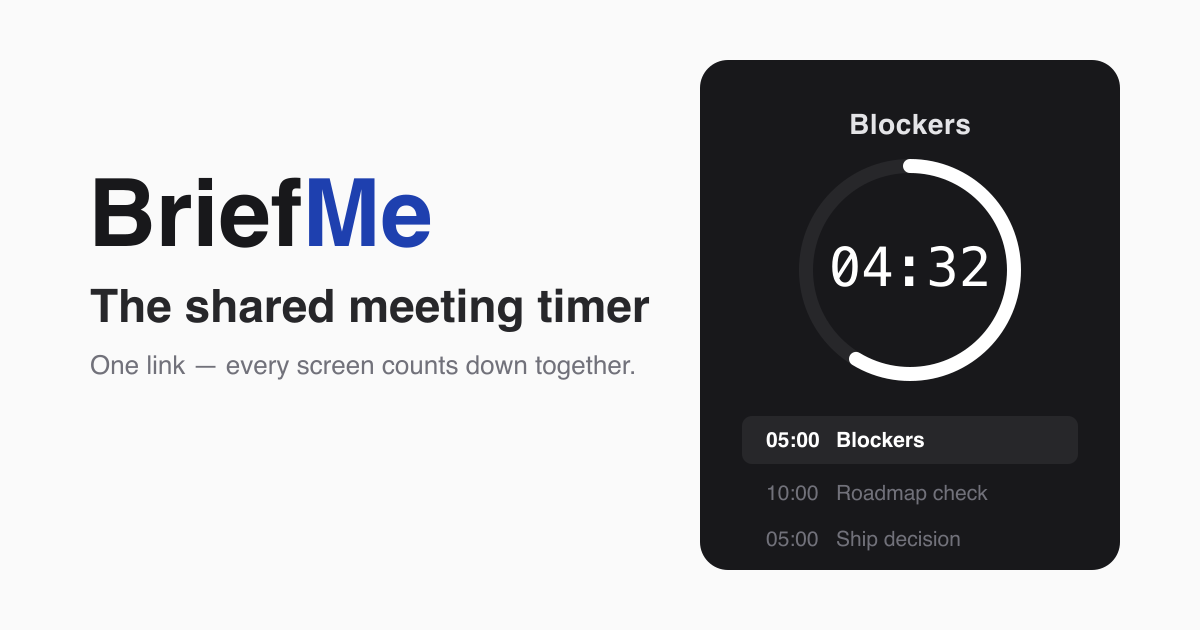
Oct. 12, 2026 — BriefMe, a free tool that turns a meeting agenda into a shared timer, launched Monday at briefme.us. Organizers list each agenda topic with the minutes it gets and share one link. Every phone, laptop and meeting-room screen that opens it shows the same live countdown and moves to the next topic at the same moment.
Key facts
- What it is: A shared timer that runs a meeting agenda on every screen at once.
- Cost: Free with no account. BriefMe Plus is $5 a month or $49 a year.
- Templates: More than two dozen free meeting agenda templates, from standups to workshops.
- Works with: Zoom, Google Meet, Microsoft Teams and in-person meetings, in any browser.
- Privacy: No third-party tracking scripts. Anonymous agendas are deleted after seven days.
- Creator: Adrian Missy. Made in Wisconsin.
Why do meetings run over?
Meetings run long when nobody is watching the clock, said Adrian Missy, who created BriefMe. The first topic runs over, and the decision the meeting was called for gets squeezed into the last five minutes.
“A good meeting maximizes what a group can decide together in the time it has,” Missy said. “A great one ends early.”
How do you run a meeting on time with BriefMe?
- List the topics. Give each one the minutes it gets.
- Share the link. Paste it into the invite or the meeting chat.
- Press start. Every open screen counts down together and moves to the next topic at once.
The share link is read-only. Only the organizer’s private edit link can change or run the meeting.
Organizers build agendas by hand in the browser. Those who use Claude, the AI assistant made by Anthropic, can also connect BriefMe and describe the meeting in a chat to have the agenda built for them.
Does BriefMe have meeting agenda templates?
Yes. BriefMe offers more than two dozen free meeting agenda templates with the minutes already worked out, from a 15-minute daily standup to a half-day workshop. Each one opens as a live countdown the organizer can share.
Does BriefMe work with Zoom, Google Meet and Microsoft Teams?
Yes. Attendees open the link on their own device, or the host shares the timer on screen. There is nothing to install.
What does BriefMe cost?
The free plan includes unlimited meetings, timers and share links. Signing in with an existing Google or Microsoft account is optional and keeps up to three agendas past the seven-day limit.
BriefMe Plus costs $5 a month or $49 a year. It adds unlimited saved agendas that never expire and the subscriber’s own logo and accent color on every timer. Payments are handled by Stripe.
How does BriefMe handle privacy?
Agendas created without signing in are deleted after seven days. The site uses self-hosted, cookieless analytics and runs no third-party advertising or tracking scripts, so it has no cookie banner.
Agenda data is stored on servers in Germany, and BriefMe itself sends no agenda content to any AI model.
About BriefMe
BriefMe is a shared meeting timer made in Wisconsin. It turns a meeting plan into a live countdown that every attendee sees in sync, with no account or download required. More information is at briefme.us.
Media contact
Adrian Missy
BriefMe
press at briefme.us
Logos, fact sheet and photos: briefme.us/press